Matter with eWeLink: Supported Devices, Setup, and Pairing Tips

Table of Contents

If you’ve ever found that a smart home app works with only certain devices, Matter is designed to address that challenge. Developed by the Connectivity Standards Alliance (CSA), Matter is an open, IP-based smart home standard that helps compatible devices from different brands work together across supported platforms. It runs over Wi-Fi, Ethernet, and Thread and is supported by major smart home platforms and ecosystems, including Apple Home, Google Home, Amazon Alexa, Samsung SmartThings, and eWeLink.
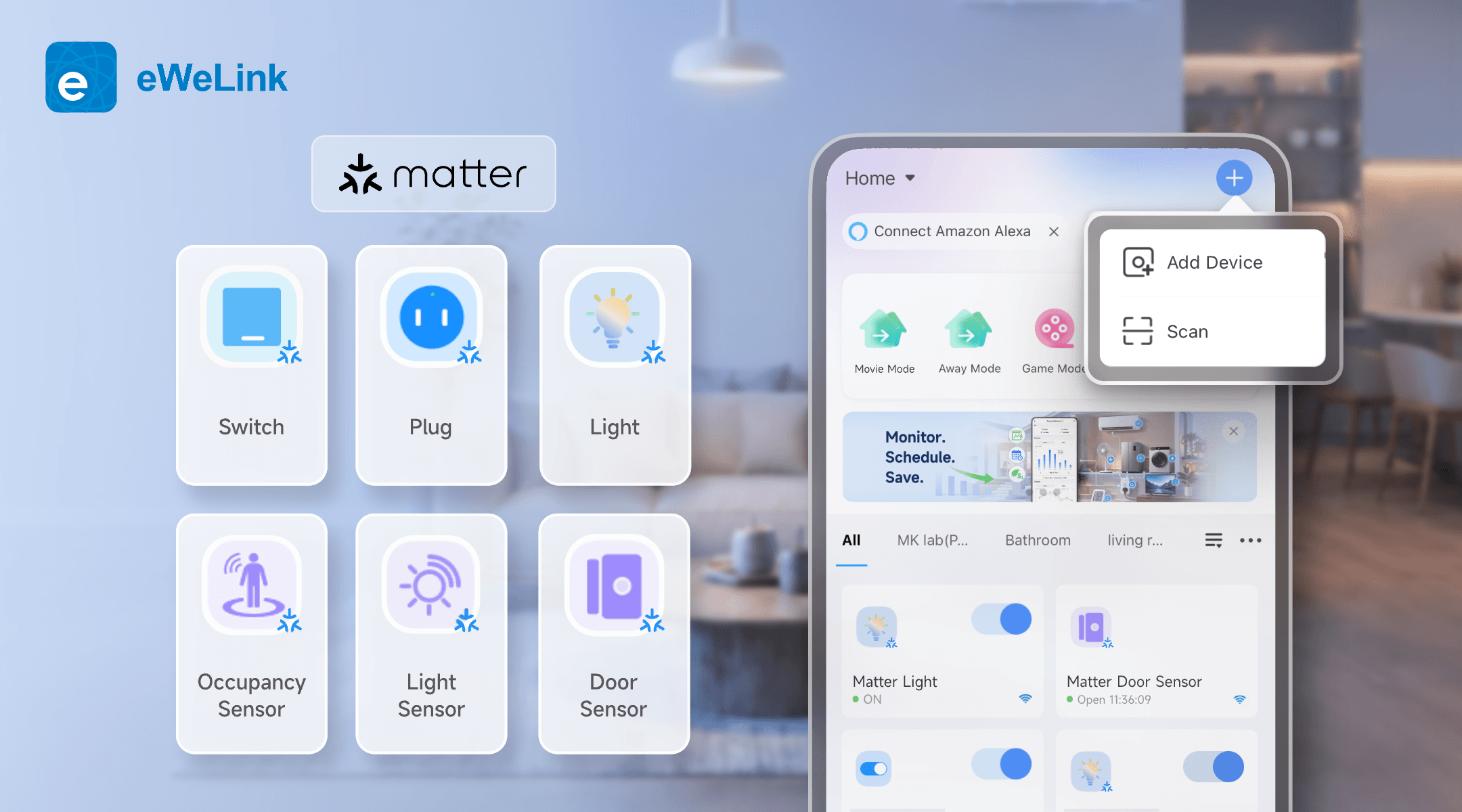
Matter with eWeLink

What Matter brings to your smart home:

  • Multi-Admin support. A compatible Matter device can be connected to multiple ecosystems, such as Apple Home, Google Home, Alexa, and eWeLink, at the same time. You can control it from any connected ecosystem, with supported device-state changes reflected across platforms.
  • Local-first control. Matter is designed for local connectivity, allowing core device commands to be handled within your home network. This can improve responsiveness and reduce dependence on cloud services.
  • Security by design. Matter uses device authentication and encrypted communication to help prevent unauthorized devices from joining your home and protect communication between devices.
  • Simplified setup. Scan a Matter QR code—or enter its numeric setup code manually—to add a compatible device through a standardized setup process.

eWeLink's Growing Matter Device Support

Since introducing Matter support in eWeLink App V5.0, eWeLink has steadily expanded the range of Matter device types it supports. Here’s an overview of what’s currently supported:

Category

Device Types

Plugs & Switches

Matter Plug, Matter On/Off Light Switch

Lighting

Matter Extended Color Light, Matter Color Temperature Light, Matter On/Off Light, Matter Dimmable Light

Sensors

Matter Temperature and Humidity Sensor, Matter Door Sensor,Matter Occupancy Sensor, Matter Light Sensor

Controls

Matter Generic Switch

Bridges

Matter Bridge ( brings supported non-Matter devices, such as Zigbee devices, into the Matter ecosystem )

This gives you a broader Matter-based setup in eWeLink, covering lighting, switching, environmental monitoring, occupancy, and door status.

Real-World Use Cases

The real power of Matter on eWeLink isn’t just device compatibility — it’s what you can do with it:

  • Energy-efficient lighting. Use a Matter light sensor to dim indoor lights automatically when natural light is sufficient, or brighten them as evening approaches. Threshold-based scenes make it effortless.
  • Climate comfort. Pair a Matter temperature and humidity sensor with your AC or smart curtains. Too warm? Curtains close. Humidity rising? Ventilation kicks in — all without manual intervention.
  • Security awareness. Use a Matter door sensor to trigger a notification or scene when a door opens or closes. Pair it with an Matter occupancy sensor to turn on lights or send an alert when occupancy is detected.
  • One-touch control. A Matter generic switch can trigger a multi-device scene—one press to dim the lights, close the curtains, and turn on selected plugs.

How to Set Up a Matter Device with eWeLink

Before you begin, make sure you have:

  • The latest version of the eWeLink app
  • An eWeLink-supported Matter Hub, such as NSPanel Pro, a compatible tablet running the eWeLink CAST app, or ZBBridge-U
  • The Matter QR code or numeric setup code supplied with your device

Keep the eWeLink app, Matter Hub, and device firmware updated to their latest available versions for the best compatibility.

Getting started is straightforward:

  1. Open the eWeLink app and tap the + button in the top right corner.
  2. Scan the Matter QR code on the device, its packaging, or its manual — or enter the numeric code manually.
  3. Follow the on-screen prompts to name the device and complete the setup.

Already using a Matter device with another platform? Use that platform to generate a new pairing code, then enter the code in eWeLink and follow the on-screen instructions to complete the setup.

Having Trouble Pairing a Matter Device?

Matter setup is usually straightforward, but if pairing fails, try the following:

  • Check the device and setup code. Make sure the device is powered on and in pairing mode, and keep your phone close to it during setup. For a new or reset device, use the setup code supplied with the product. If the device is already connected to another Matter ecosystem, generate a new pairing code from that platform instead.
  • Restart the eWeLink app and your Matter Hub. Close and reopen the app, then restart the Matter Hub you are using, such as NSPanel Pro, a CAST-enabled tablet, or ZBBridge-U. This can clear temporary issues that may interrupt pairing.
  • Check the network connection. Make sure your phone and Matter Hub are connected to the same local network. For Matter-over-Wi-Fi devices, confirm that the Wi-Fi password and network settings are correct.
  • Check app permissions. Allow the permissions requested for pairing, such as Bluetooth, Nearby Devices, Local Network, or Location, depending on your phone and operating system.
  • Check whether the device uses Thread. Matter-over-Thread devices require a compatible Thread Border Router. eWeLink does not currently support the initial setup of devices marked Thread Border Router Required. Set up the device through a compatible Thread ecosystem first, then share it with eWeLink.

More Choice, One Connected Home

Matter gives you more freedom to choose compatible devices from different brands, while eWeLink brings them together for control and automation. Start with the devices that fit your home, connect them through scenes, and let them work together around your daily routines.

What important features are we missing? We’d love to hear from you! Join our discussion here

Share the Post:
Related Posts

This website use cookies to ensure you get the best experience on our website.