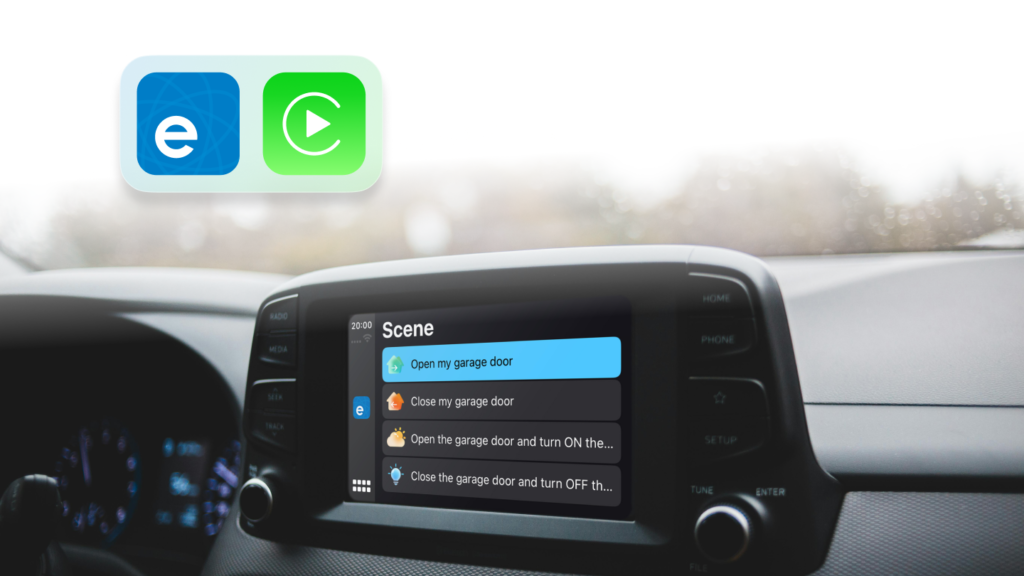
Here’s how the eWeLink CarPlay works:
Step 1. Add Your Scenes to CarPlay
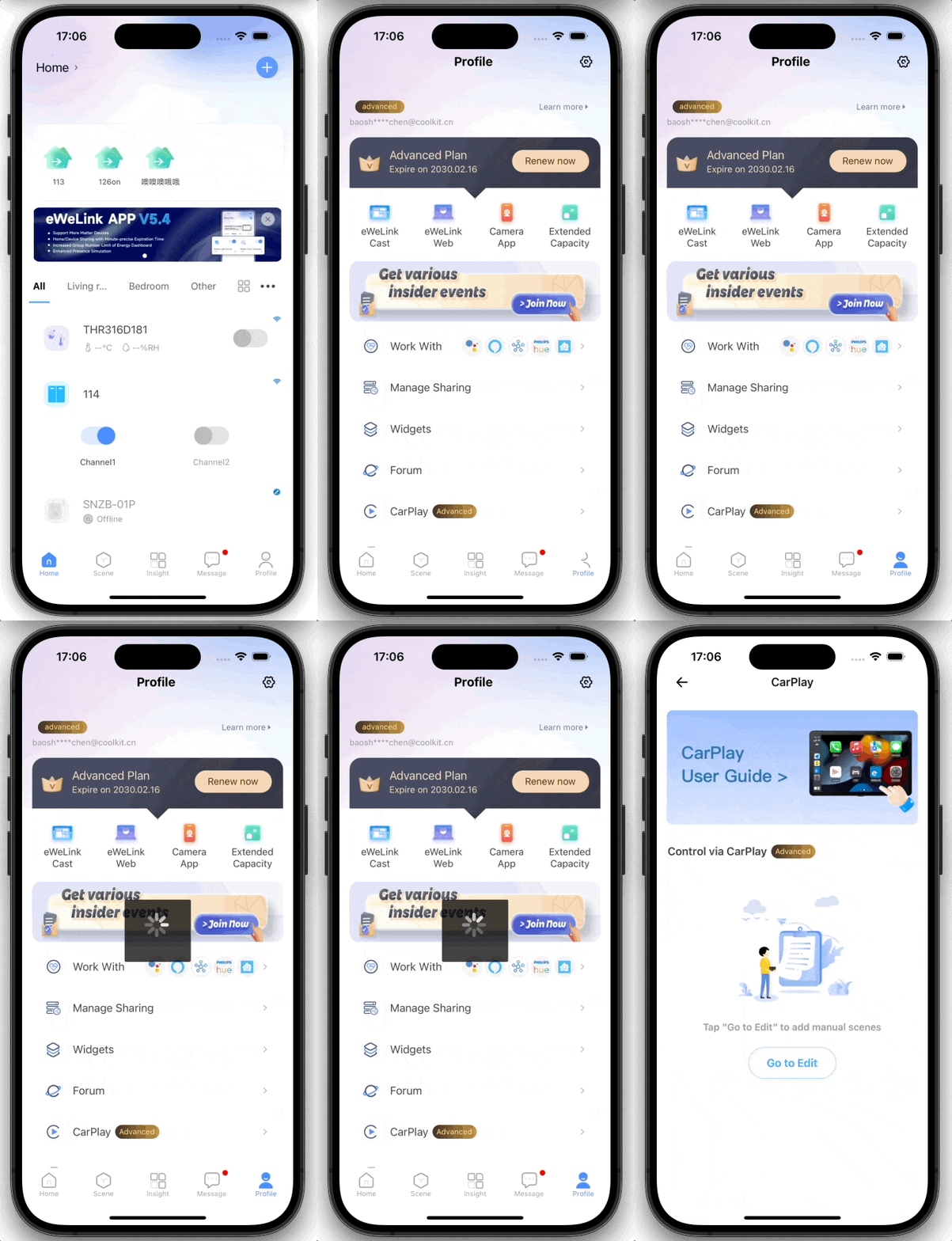
- In the eWeLink app, go to Profile > CarPlay
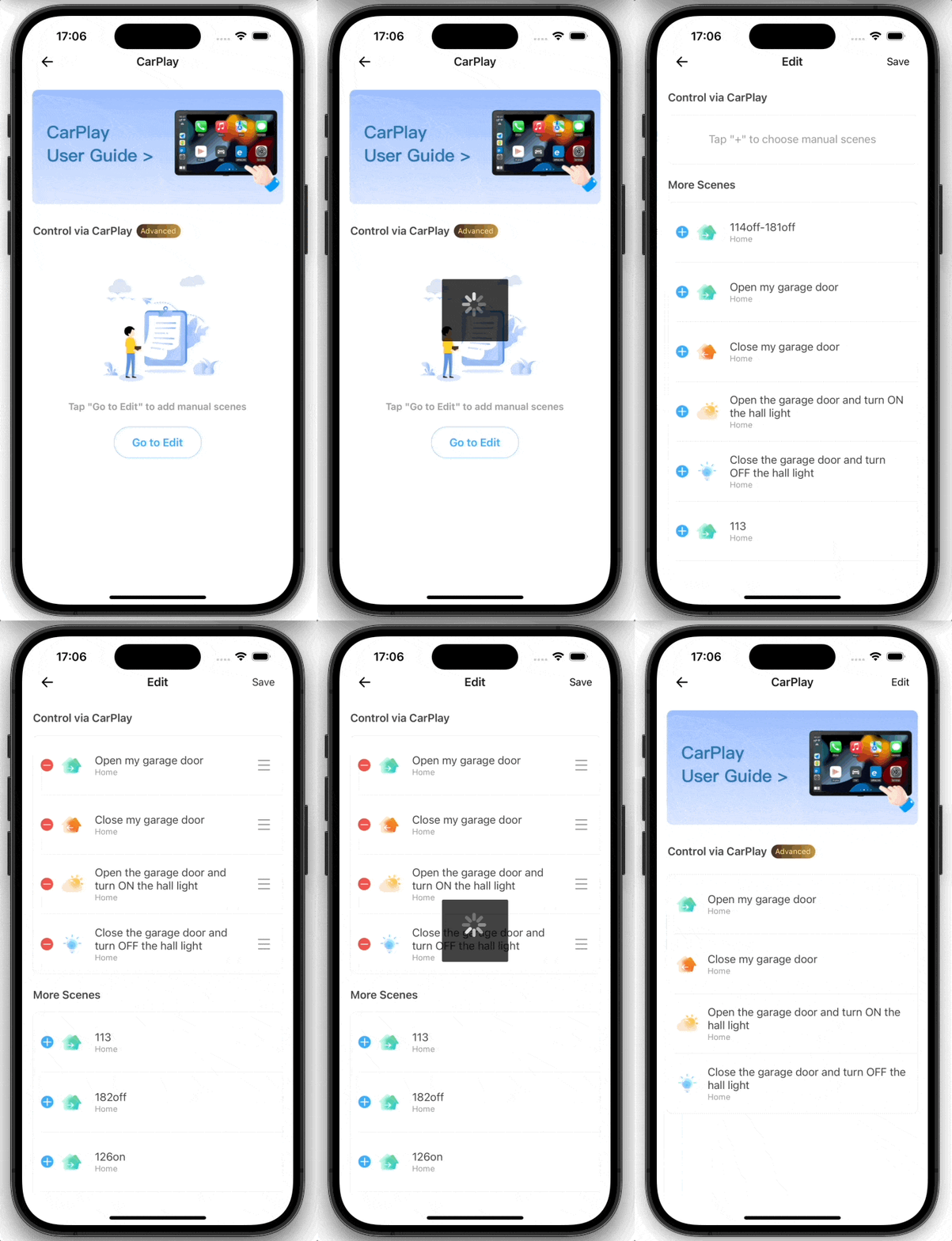
- Tap “Go to Edit” to add your preset home scenes
- Scenes could include actions like opening the garage door, turning on lights – all triggered with a single tap.
Step 2. Run Scenes on CarPlay
- Refer to following steps to connect your iPhone to CarPlay, or refer to Apple Support
- Start your car, then make sure Siri is on.
- Connect your iPhone to your car:
- If your car supports CarPlay with a USB cable: Plug your iPhone into the USB port in your car. The USB port might be labeled with a CarPlay icon or a smartphone icon. Be sure to use an Apple USB Cable.
- If your car supports CarPlay both wirelessly and with a USB cable: Plug your iPhone into the USB port in your car. The next time you attempt to connect your iPhone to CarPlay, an alert on your iPhone allows you to connect wirelessly.
- If your car supports only wireless CarPlay: Press and hold the voice command button on your steering wheel. Make sure that your stereo is in wireless or Bluetooth mode. Then on your iPhone, go to Settings > Wi-Fi, and make sure that Wi-Fi is also turned on. Tap the CarPlay network, and check that Auto-Join is turned on. Then, go to Settings > General > CarPlay, and select your car. Check your car manual for more information.
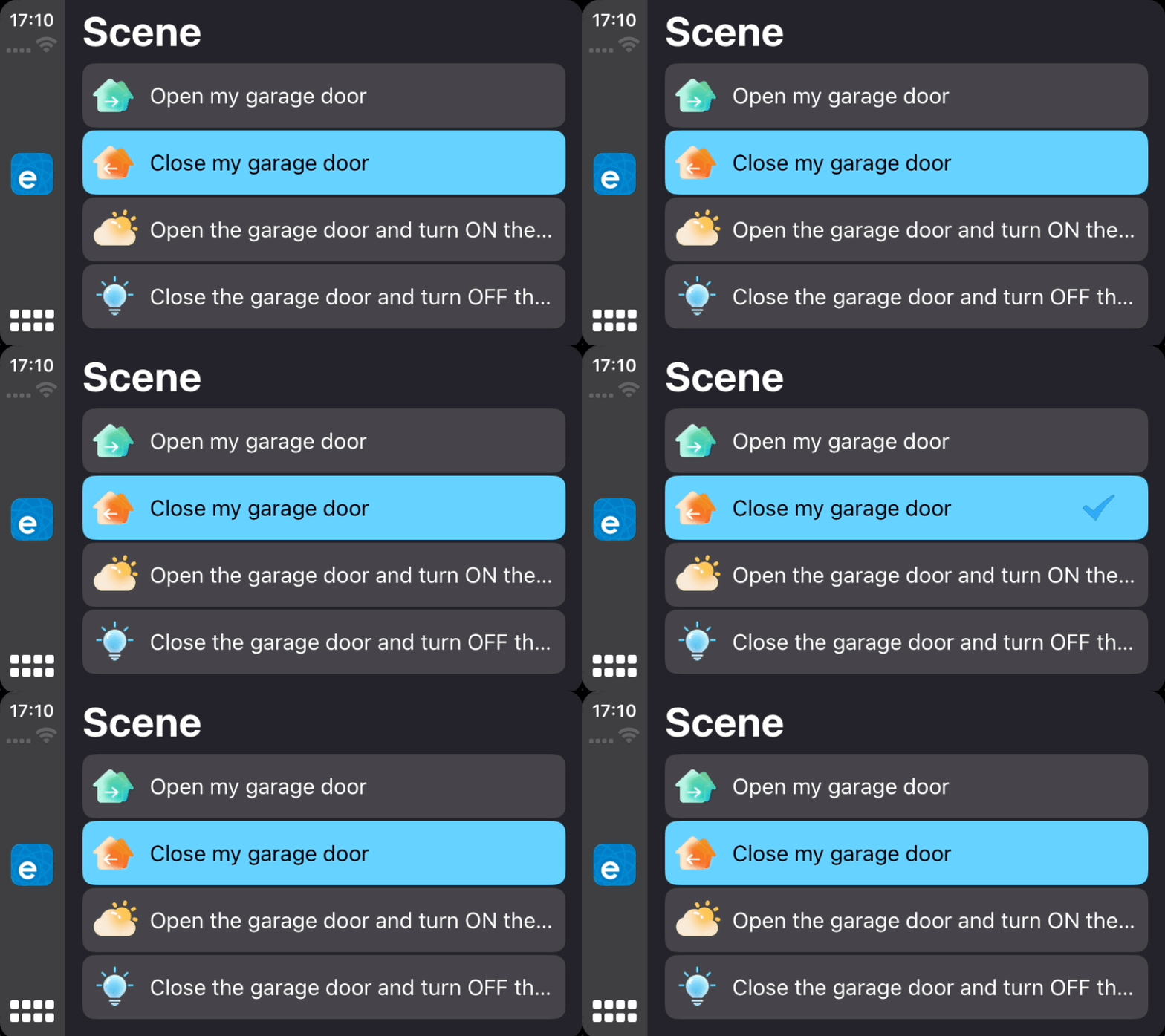
- On the car’s display, open the eWeLink app and tap on a scene to execute it instantly
- Your smart home devices will spring into action, delivering a truly seamless automated experience
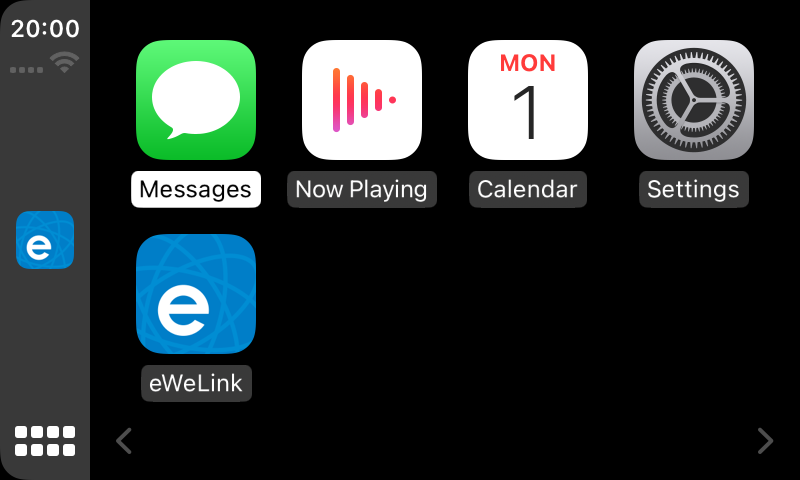
Arrange apps on CarPlay
You can also customize the order of apps on your CarPlay display from your iPhone settings, just go to Settings > General > CarPlay to add, remove, and rearrange the apps.
With eWeLink’s new CarPlay integration, you can now control your connected home wherever the road takes you. Upgrade to eWeLink v5.4.1 today and experience the future of smart living – intelligent scenes executed effortlessly from your car’s center display. Make your daily routines smarter with just a tap!