Matter with eWeLink: Supported Devices, Setup, and Pairing Tips
See which Matter devices work with eWeLink and how to set them up.

eWeLink App V5.28 brings quicker access to everyday tasks and a new free trial for eligible Prime subscribers.
Two useful shortcuts are now available directly from the eWeLink app icon on your phone’s Home Screen:
Simply press and hold the eWeLink app icon on Android or iOS to access them.
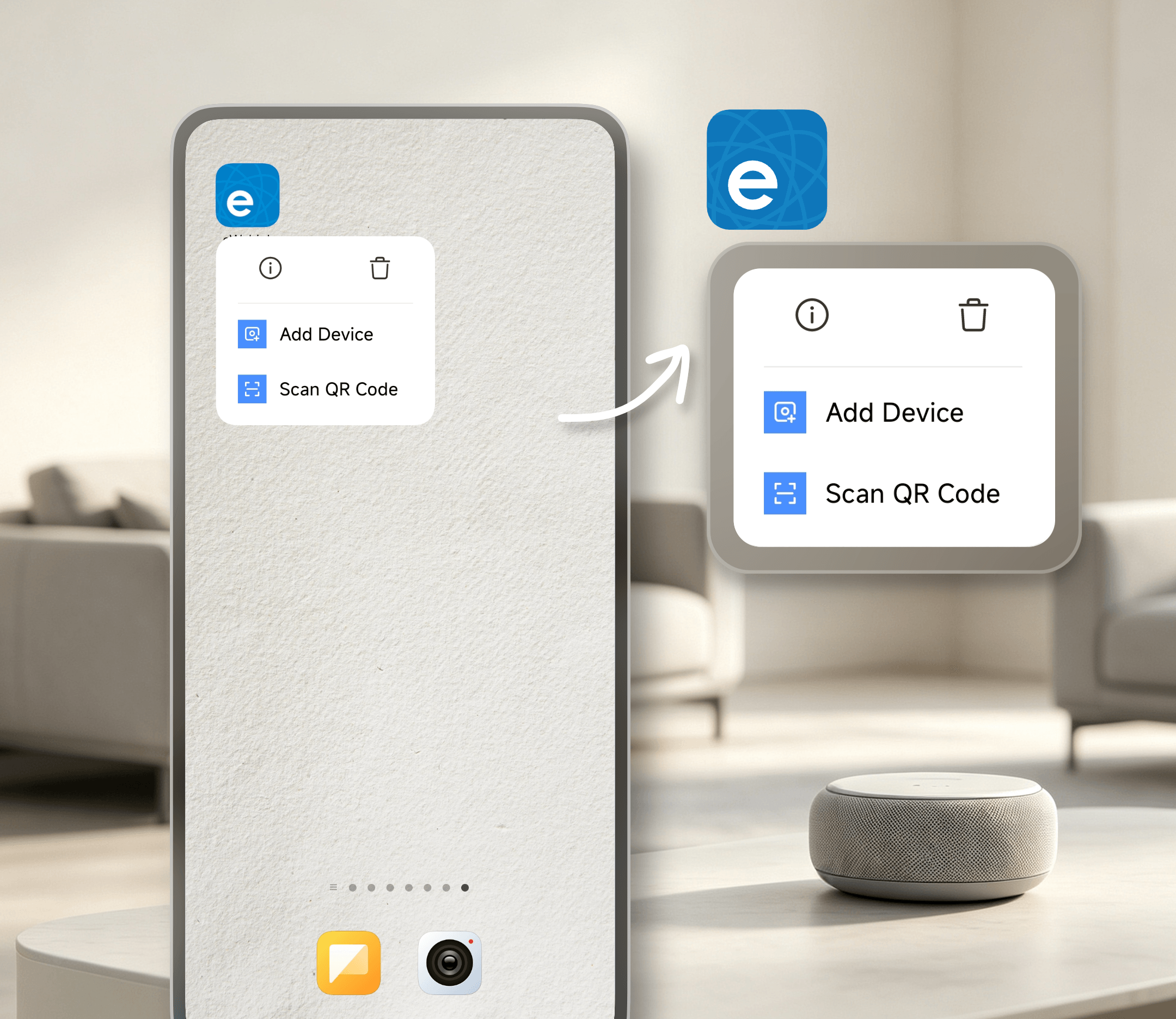
Adding a new smart device? Select Add Device to jump straight to the device setup page without navigating through the app first.
Need to scan a QR code? Select Scan QR Code to open the scanner right away. You can use it to add supported devices by QR code or sign in to services such as eWeLink WEB and eWeLink CAST.
A small shortcut can save a few steps, especially when you’re setting up devices or scanning QR codes regularly.
Eligible users can now subscribe to eWeLink Prime with a free trial:
Your Prime access starts right away, so you can explore features such as Floor Plan, eWeLink MCP Server, eWeLink on Wear OS smartwatches, higher device sharing limits, and expanded capacity for Virtual Devices and Thermostat Plugins during the trial.
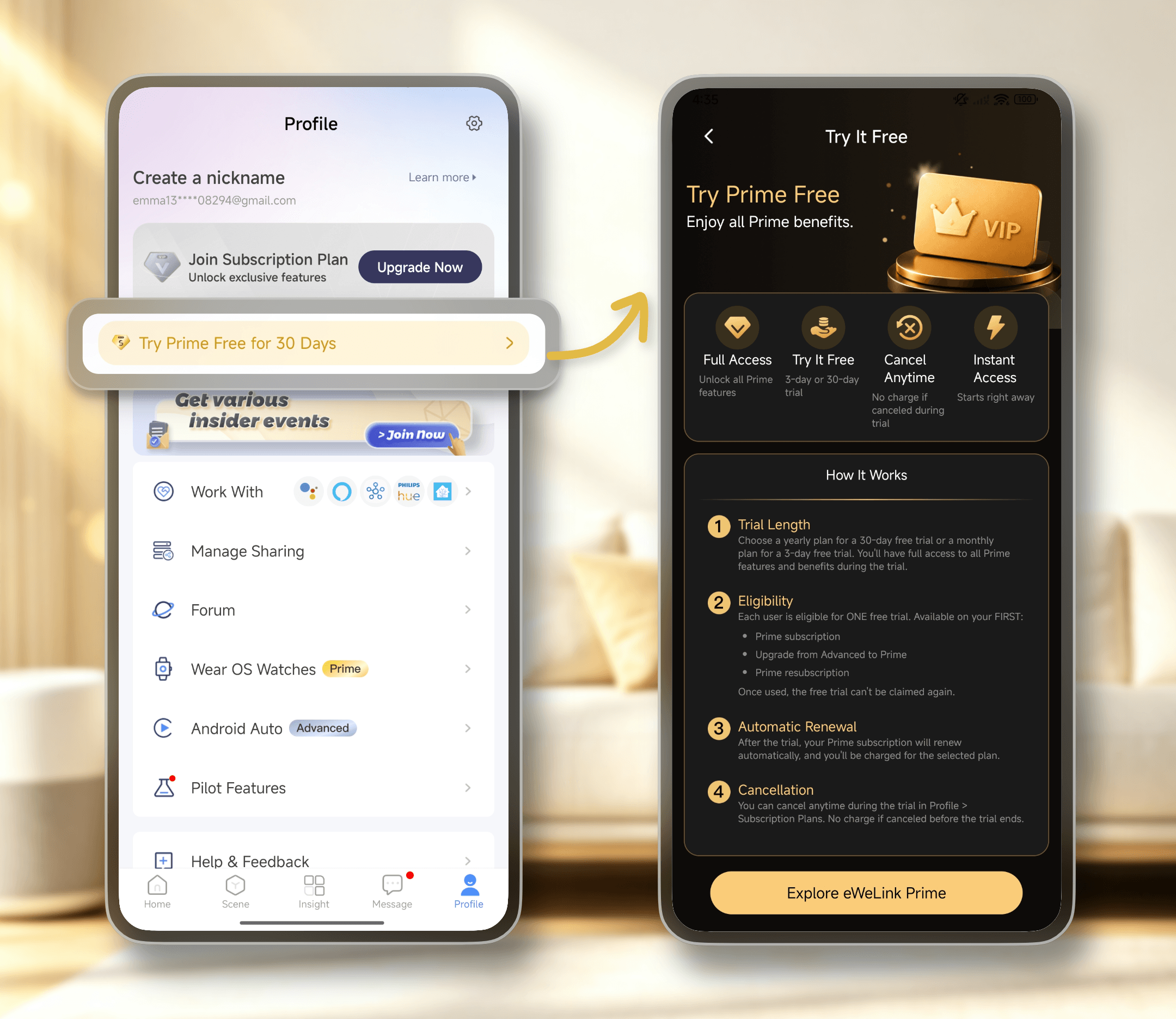
See the subscription page in the eWeLink app for full trial terms and eligibility requirements.
Your remaining Advanced Plan time will be converted to Prime at a 2:1 ratio. For example, 30 days of Advanced becomes 15 days of Prime. Your free trial will then be added on top.
The eWeLink App V5.28 is rolling out gradually on Google Play over the next few days. iOS users can expect the update by the end of August.
What important features are we missing? We’d love to hear from you! Join our discussion here.
See which Matter devices work with eWeLink and how to set them up.
Manage devices faster from the eWeLink Home page.
Run your favorite eWeLink manual scenes with Siri voice commands on your iPhone.
Set a duration to confirm device state and run scenes reliably.