Matter with eWeLink: Supported Devices, Setup, and Pairing Tips
See which Matter devices work with eWeLink and how to set them up.

Starting with eWeLink App V5.25, more eligible device groups can be added as actions in smart scenes. This means you can control a whole group of devices with one scene action, instead of adding and configuring each device one by one.
Whether you are turning on several lights in the morning, powering off multiple plugs at night, or setting up a room-based routine, device groups help make your scenes simpler, cleaner, and easier to manage.
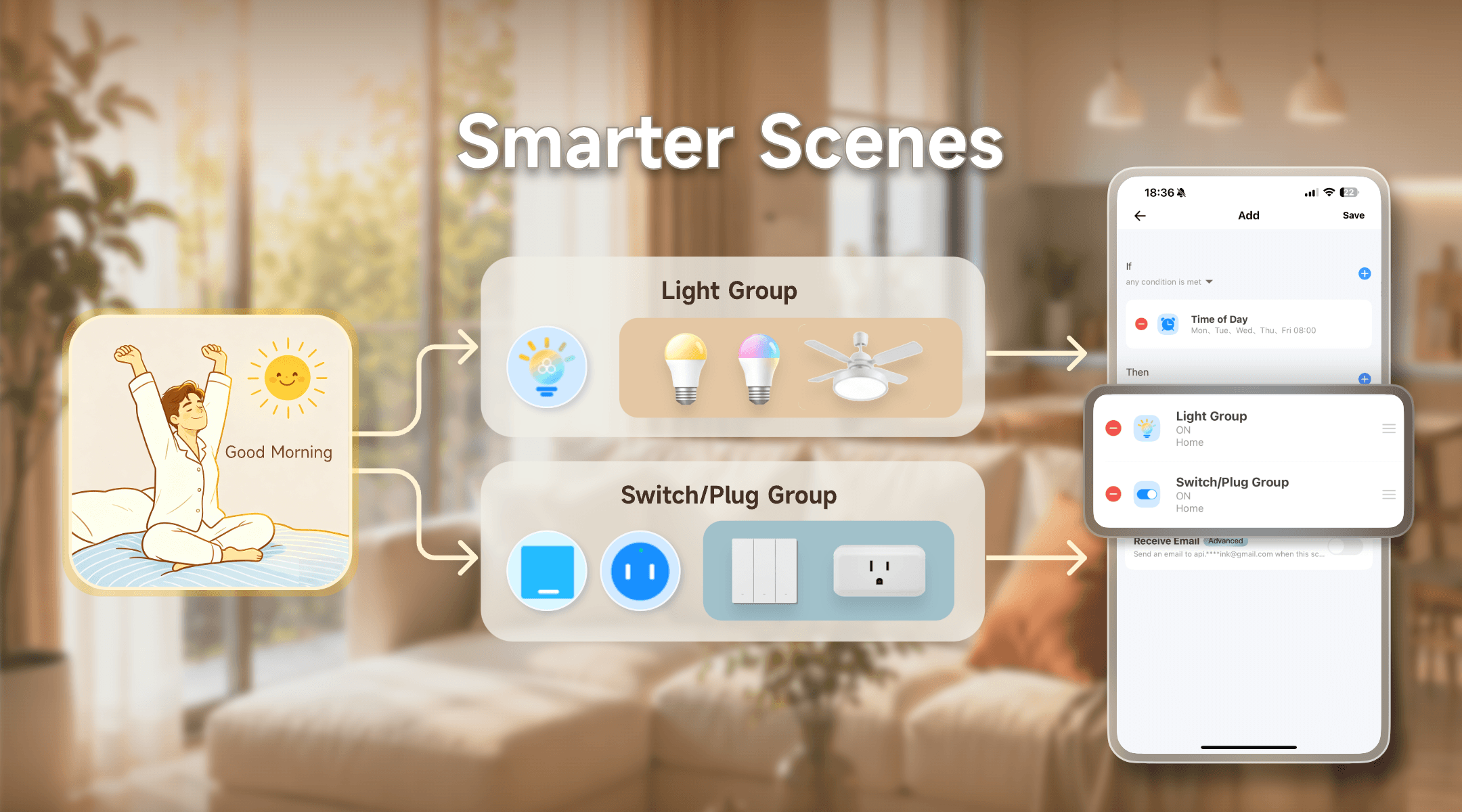
In this update, eWeLink expands support for device groups in scenes to more eligible devices, including additional Zigbee multi-gang switches and Zigbee multi-channel plugs with energy metering.
Once these devices are grouped, you can select the group as an action when creating or editing a scene. For example, instead of adding each switch or plug separately, you can simply add the whole group and set what it should do.
Many daily routines involve several devices working together. With device groups as scene actions, you can build those routines with fewer steps.
For example, you can use a single scene to control:
This keeps your scene setup more organized, especially when you have multiple devices of the same type.
Create a morning scene that runs at 8:00 AM. Your light group turns on, your fan or switch group starts running, and your plug group powers up the devices you need for the day.
Instead of setting each device separately, one scene can get your room ready for the morning.
Use a bedtime scene to turn off selected lights, switches, and plugs together. This is useful for bedrooms, living rooms, or even whole-home shutdown routines.
When you come home, your hallway lights, living room lights, and selected plugs can turn on automatically. A device group helps you prepare the space without creating a long list of separate actions.
Set the mood with one tap. Dim or turn off a light group, switch off unnecessary plugs, and keep only the devices you need for a comfortable movie night.
After that, the scene will control the whole group as a single action.
The following device groups can be used as scene actions in supported versions of the eWeLink app.
Device Type | Eligible Device Models (Examples) |
Zigbee 2-gang Switch – Support OTA Updates | CK-BL702L-Z102SW00-2 |
Zigbee 3-gang Switch – Support OTA Updates | CK-BL702L-Z102SW00-3 |
Zigbee 4-gang Switch – Support OTA Updates | CK-BL702-MSW-01 |
Zigbee 2C Plug with Energy Metering – support OTA Updates | CK-BL702-SWP-01 |
Zigbee 3C Plug with Energy Metering – support OTA Updates | CK-BL702-SWP-01 |
Device Type | Eligible Device Models (Examples) |
Single-Channel Plug | SONOFF BASIC_R3 SONOFF MINI SONOFF RF_R2 SONOFF S20R1 SONOFF S26 SONOFF S31 Lite SONOFF S55R1 SONOFF S30 AIB-xU1 CKCP-001 |
Dual-Channel Plug | SONOFF DUALR2 |
Three-Channel Plug | CKW04-3C |
Four-Channel Plug | SONOFF 4CH |
Single-Channel Switch | SONOFF RF R2 SONOFF T1 1C SONOFF Touch SONOFF TX1C |
Dual-Channel Switch | SONOFF T1 2C SONOFF TX2C |
Three-Channel Switch | SONOFF T1 3C SONOFF TX3C |
Power detection Plug | SONOFF IW100_US SONOFF IW101_US SONOFF Pow R2 SONOFF POWR3 SONOFF S31 PSA-X67-GL |
Wi-Fi Smart Ceiling Fan with Light Controller | SONOFF iFan_02, SONOFF iFan03, SONOFF iFan04 |
Single-Channel Plug-Multi-channel version | SONOFF Micro |
Single-Channel Switch-Multi-channel version | CKA-DM4-GL |
1C Switch, Microwave Radar Version | CKA-DM4-GL(SW1C-MW) |
2C Switch, Microwave Radar Version | CKA-DM4-GL(SW2C-MW) |
3C Switch, Microwave Radar Version | CKA-DM4-GL(SW3C-MW) |
HMI Wall Switch | SONOFF NSPanel |
Smart Wi-Fi LED Bulb | B02-BL |
RGBCW LED Bulb Light, with 2.4G eWeLink-Remote | SONOFF B05-BL CK-BL602-5PWM-01 |
Single-Channel Plug_Support 2.4G eWeLink-Remote | SONOFF BASICR4 SONOFF MINIR3 SONOFF MINIR4 SONOFF S40 lite CK-BL602-4SW-AY |
Dual-Channel Plug_Support 2.4G eWeLink-Remote | BL1-S04-01 CK-BL602-4SW-HS CK-BL602-4SW-WH-02 |
Three-Channel Plug_Support 2.4G eWeLink-Remote | BL1-S04-01 CK-BL602-4SW-HS CK-BL602-4SW-WH-02 |
Four-Channel Plug_Support 2.4G eWeLink-Remote | BL1-S04-01 CK-BL602-4SW-HS CK-BL602-4SW-TYSTD CK-BL602-4SW-WH-02 CK-BL602-TC-01 |
Single-Channel Switch_Support 2.4G eWeLink-Remote | SONOFF M5-1C |
Dual-Channel Switch_Support 2.4G eWeLink-Remote | SONOFF M5-2C SONOFF M5-2C-86W |
Three-Channel Switch_Support 2.4G eWeLink-Remote | SONOFF M5-3C |
Power Monitoring Plug Overload Alert – Multi-Channel Protocols | SONOFF S40 SONOFF S40TPA SONOFF S40TPB |
(POWCT)POWR3 – with LCD Screen | SONOFF POWCT SONOFF POWR316 SONOFF POWR320D SONOFF S60TPF SONOFF S60TPG |
Wi-Fi/2.4G 1C Plug, support eWeLink-Remote Gateway | CK-BL602-4SW-HS-02 |
Single-channel Smart Touch Wall Switch | SONOFF T5-1C-86 |
Dual-channel Smart Touch Wall Switch | SONOFF T5-2C-86 |
Three-channel Smart Touch Wall Switch | SONOFF T5-3C-86 |
Four-channel Smart Touch Wall Switch | SONOFF T5-4C-86 |
Zigbee Smart Switch | SONOFF S26R2ZBTPG |
Zigbee Single-Channel Switch _Support OTA | SONOFF ZBMINI-L |
Zigbee LED Tunable White Bulb – Support OTA Updates | CK-BL702-AL-01 |
Zigbee LED Tunable Color Bulb – Support OTA Updates | CK-BL702-AL-01 |
Zigbee Smart Switch_Support OTA | SONOFF ZBMINIR2, SONOFF ZBMicro |
Zigbee 1C Plug with Energy Metering – support OTA Update | CK-BL702-SWP-01 CK-TL8656F512-BL0937 CK-TL8656F512-Z123PL0O-01 CK-TLSR8258-MSW-02 |
Device groups make scenes easier to create and easier to maintain. From morning routines to bedtime automations, you can control more devices with fewer actions and keep your smart home setup more organized.
Update to eWeLink App V5.25 to try supported device groups in scenes and make your everyday automations simpler.
What important features are we missing? We’d love to hear from you! Join our discussion here.
See which Matter devices work with eWeLink and how to set them up.
Manage devices faster from the eWeLink Home page.
Run your favorite eWeLink manual scenes with Siri voice commands on your iPhone.
Set a duration to confirm device state and run scenes reliably.