Matter with eWeLink: Supported Devices, Setup, and Pairing Tips
See which Matter devices work with eWeLink and how to set them up.

Good news for smart home enthusiasts: eWeLink’s integration with Google Home just got even better. Starting with version 5.20, Android users can enjoy expanded support for syncing and controlling Matter-enabled devices from the Google Home ecosystem directly within the eWeLink app.
Back in V5.17, we leveraged Google Home APIs to sync devices already onboarded in the Google Home Matter fabric to eWeLink. Now with V5.20, that list of supported devices has grown—giving you more flexibility and a smoother experience.
If you’ve already set up lights in Google Home using Matter, you can now bring them into eWeLink effortlessly—no re-pairing, no double setup. Your existing devices, room names, and household structure sync over exactly as you’ve arranged them, so everything feels familiar the moment it appears in eWeLink.
Previously, Matter lights with dimmable, cool-warm, and colorful capabilities could be synced. With the latest update, eWeLink now supports:
Whether it’s dimming the lights for movie night, setting a warm tone for dinner, or adding a splash of color to a party—you can now do it all from eWeLink, even if those lights were originally set up in Google Home.
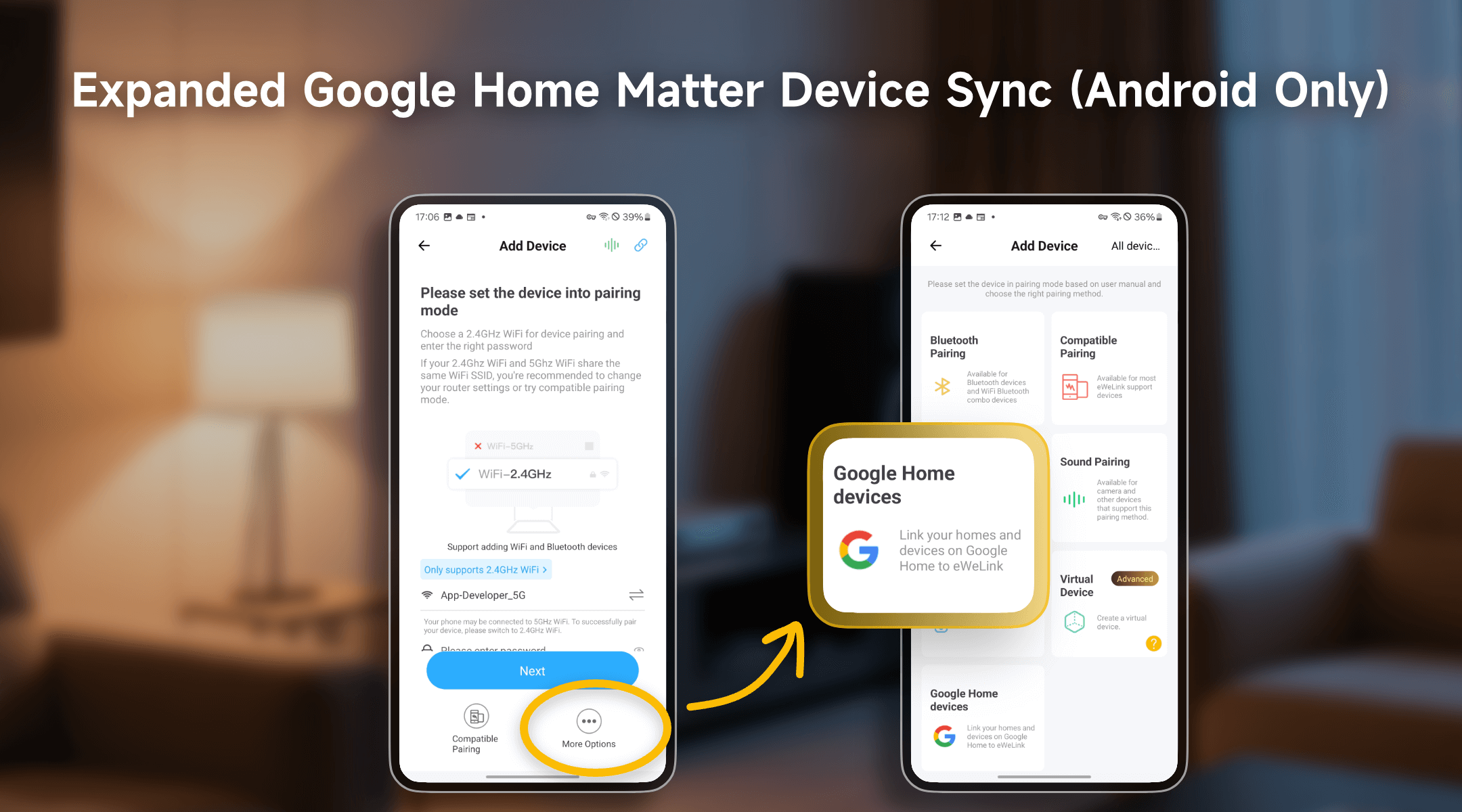
Smart homes often involve juggling between different apps, which can get frustrating. With this update, your Google Home lights can now be synced and controlled directly in eWeLink without having to re-add or reset them. This gives you:
Update to eWeLink version 5.20, link your Google Home household through Google Home APIs, and enjoy smarter, more connected control over your Matter lights—all in one place.
What important features are we missing? We’d love to hear from you! Join our discussion here.
See which Matter devices work with eWeLink and how to set them up.
Manage devices faster from the eWeLink Home page.
Run your favorite eWeLink manual scenes with Siri voice commands on your iPhone.
Set a duration to confirm device state and run scenes reliably.