What’s New in eWeLink App V5.29
More device support in Insight, accurate scene email times, and more reliable push notifications in eWeLink App V5.29.

No Built-in Power Meter? No Problem! Smart sockets or plugs that don’t come with electricity statistics feature can now count the electricity used by the appliances they connected to.
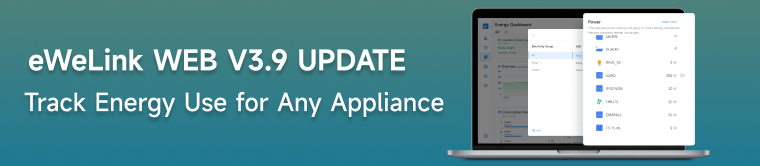
Here’s how it works:
● Set the appliance power rating for your smart socket or plug.
● eWeLink WEB calculates the energy consumption based on the operating time of the smart socket or plug.
● View estimated energy consumption on the Energy Dashboard
This update empowers you to:
● Monitor energy consumption across your entire smart home ecosystem.
● Make informed decisions about your electricity usage.
● Optimize your home’s energy efficiency.
Note: Please be aware, this feature calculates the power consumption based on the rated power you set and the running time of the smart device, the result is only an estimated value.
For detailed guide please check:
https://appcms.coolkit.cn/ewelink/hot/22711.html
Or watch the video: