V5.22 Raises the Limits: More Virtual Devices, More Thermostat Plugins, Easier Sharing
With the eWeLink app V5.22, Prime members get higher limits for virtual devices, thermostat plugins, and device sharing.

Skip typing passwords and access your smart home faster. The latest eWeLink app update (version 5.20) introduces a seamless and secure way for iOS users to access their smart home ecosystem: Face ID Login.
This highly anticipated feature is all about convenience and security. By leveraging the advanced facial recognition technology built into your iPhone, eWeLink eliminates the need to type passwords, making your login experience almost instantaneous.
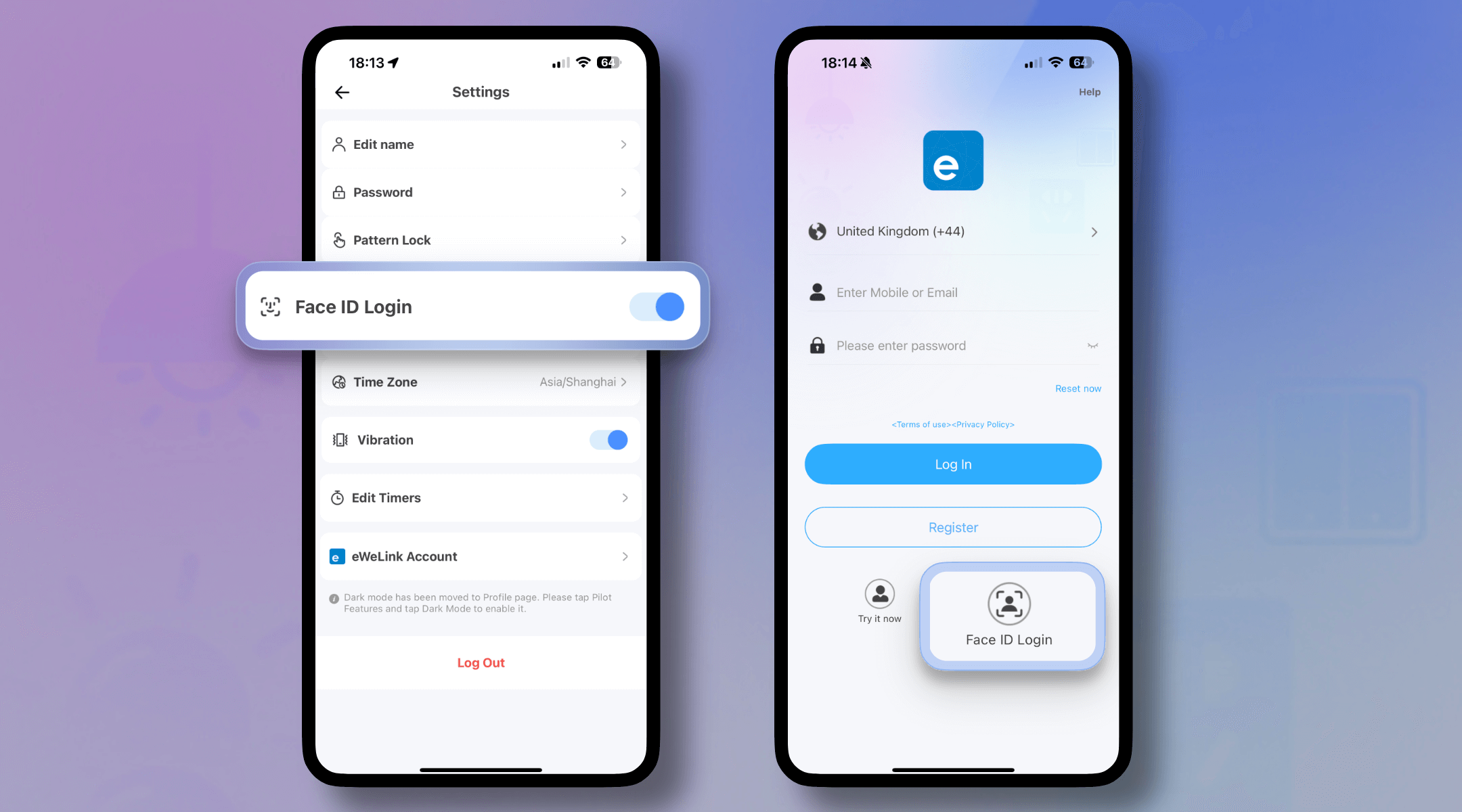
Setting up Face ID login is straightforward:
From now on, whenever you log out or your session times out, gaining access to your eWeLink app is as simple as giving your device a quick glance. It’s a natural, fluid motion that gets you right back to controlling your devices.
Imagine these scenarios:
It’s helpful to remember that the Face ID setting is linked to one specific eWeLink account per device. This means if you switch to a different eWeLink account on the same phone or if you reinstall the app, you will need to visit the settings again to re-enable Face ID login for your account.
The introduction of Face ID login in the eWeLink app V5.20 is more than just a minor update—it’s a significant step towards a more intuitive and effortless smart home management experience. It understands the need for both robust security and everyday convenience, allowing you to focus on what matters: enjoying a connected home that works for you.
What important features are we missing? We’d love to hear from you! Join our discussion here.
With the eWeLink app V5.22, Prime members get higher limits for virtual devices, thermostat plugins, and device sharing.
Set up the eWeLink MCP Server to control supported devices with AI using natural-language commands.
With scene names now visible in logs, you can finally connect every device action to the automation behind it.
eWeLink App V5.21 brings smart home control to your Wear OS watch.