In the new version of eWeLink Web V2.5.0 , one of the main updated features we want to introduce is Webhooks.
What is eWeLink Webhooks?
Similar to other webhooks function of other platforms, eWeLink Webhooks allows you to combine eWeLink power with other third platforms on your DIY smart life project.
Webhooks is a kind of flexible and highly-customized web request. You could choose Webhook as the trigger while setting smart device or smart scene as the actions, then you will get the unique Webhook URL.
With this URL, you can make eWeLink work with Youtube, work with Telegram, and work with other apps that support Webhooks to trigger the linked scenes, achieving your DIY tasks.
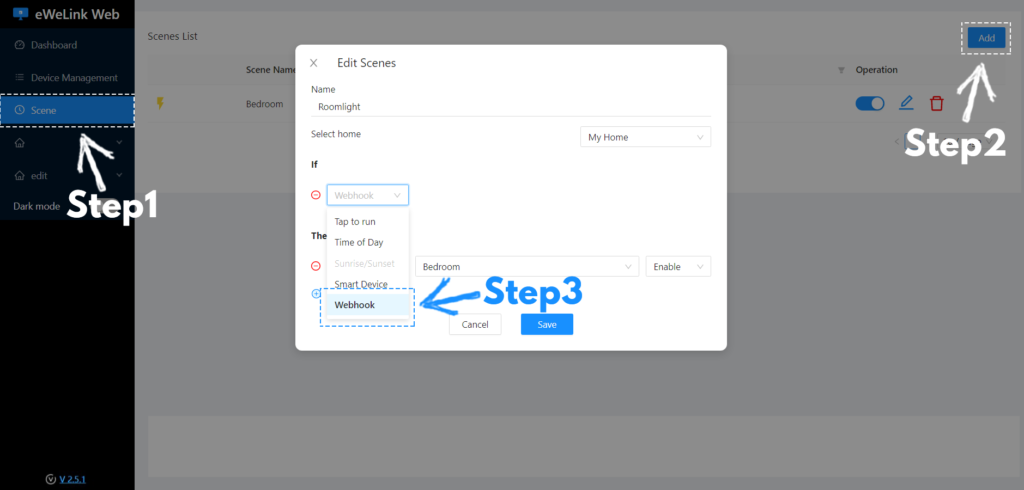
How to create eWeLink Webhook scene?
Step 1: Add scene, Choose Webhook as a trigger, and set the actions.
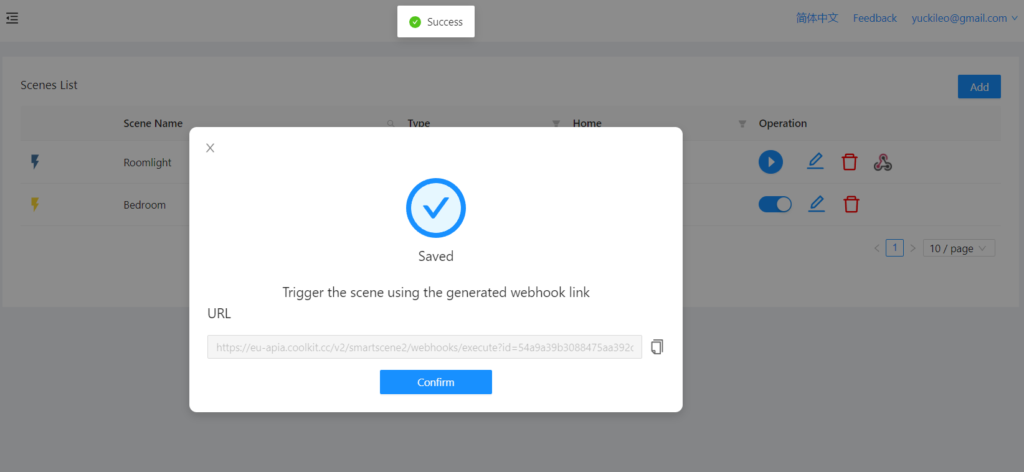
Step 2: Save Webhook scene and get the unique URL.
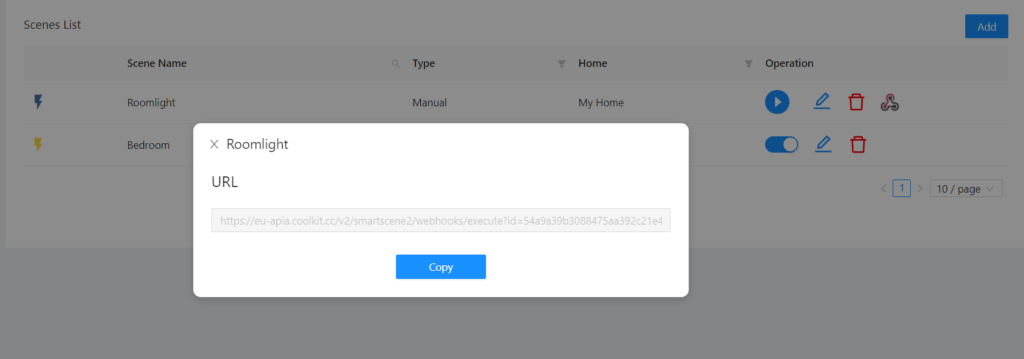
Tips: You can view this URL by clicking the Webhooks icon.
Join Us
Join our Advance Plan, you can better use eWeLink Webhooks on eWeLink Web to DIY your smart home project.