A Comprehensive Guide to eWeLink Virtual Devices
Bridge smart home platforms and trigger entire scenes across ecosystems with a single virtual switch or button.

Have you ever deleted a device from your eWeLink setup, only to realize weeks later that some of your automations stopped working, without any warning? Those frustrating days are over! With eWeLink’s latest upgrade, broken scenes due to missing devices are now instantly flagged as “Invalid”, so you can spot and fix them right away.
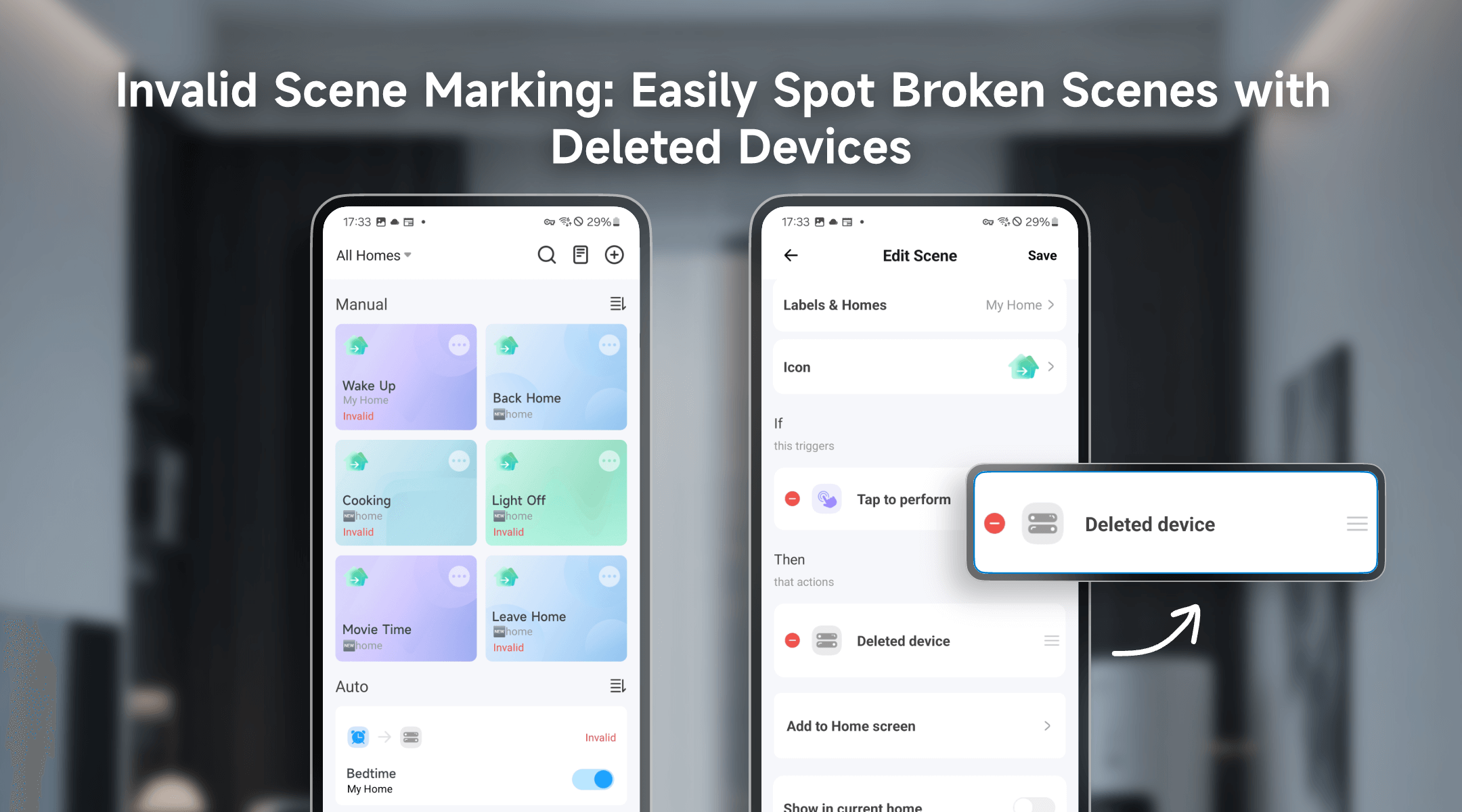
Smart home automations should make life easier, not leave you guessing why they failed. Before, if you removed a motion sensor, switch, or any other device, scenes relying on it would simply stop running—silently. Now, eWeLink proactively notifies you by marking affected scenes as Invalid, so you’re always in control.
Not all device deletions break a scene. Here’s how eWeLink intelligently detects issues:
Deleted a device by accident? No problem. If you re-add it later, eWeLink may automatically repair the scene after a refresh. Manual scenes (like button-controlled actions) will work immediately, while automated scenes (e.g., schedules) stay paused until you reactivate them, giving you full control.
With eWeLink’s Invalid scene tagging, your smart home stays reliable. No more guessing which scenes broke after a cleanup—just clear alerts and quick fixes. Update your app now and enjoy worry-free automations!
What important features are we missing? We’d love to hear from you! Join our discussion here.
Bridge smart home platforms and trigger entire scenes across ecosystems with a single virtual switch or button.
Experience real-time monitoring and instant device control from the same screen.
Automate your home climate with the eWeLink Thermo Plugin—smart, simple, and shareable.
With the eWeLink app V5.22, Prime members get higher limits for virtual devices, thermostat plugins, and device sharing.