A Comprehensive Guide to eWeLink Virtual Devices
Bridge smart home platforms and trigger entire scenes across ecosystems with a single virtual switch or button.

With the eWeLink App V5.21, managing your smart home on Android becomes more intuitive than ever. The latest update brings expanded support for Device Control and Sensor View widgets, allowing you to place more device types directly on your home screen—so you can check key data or control appliances without opening the app.
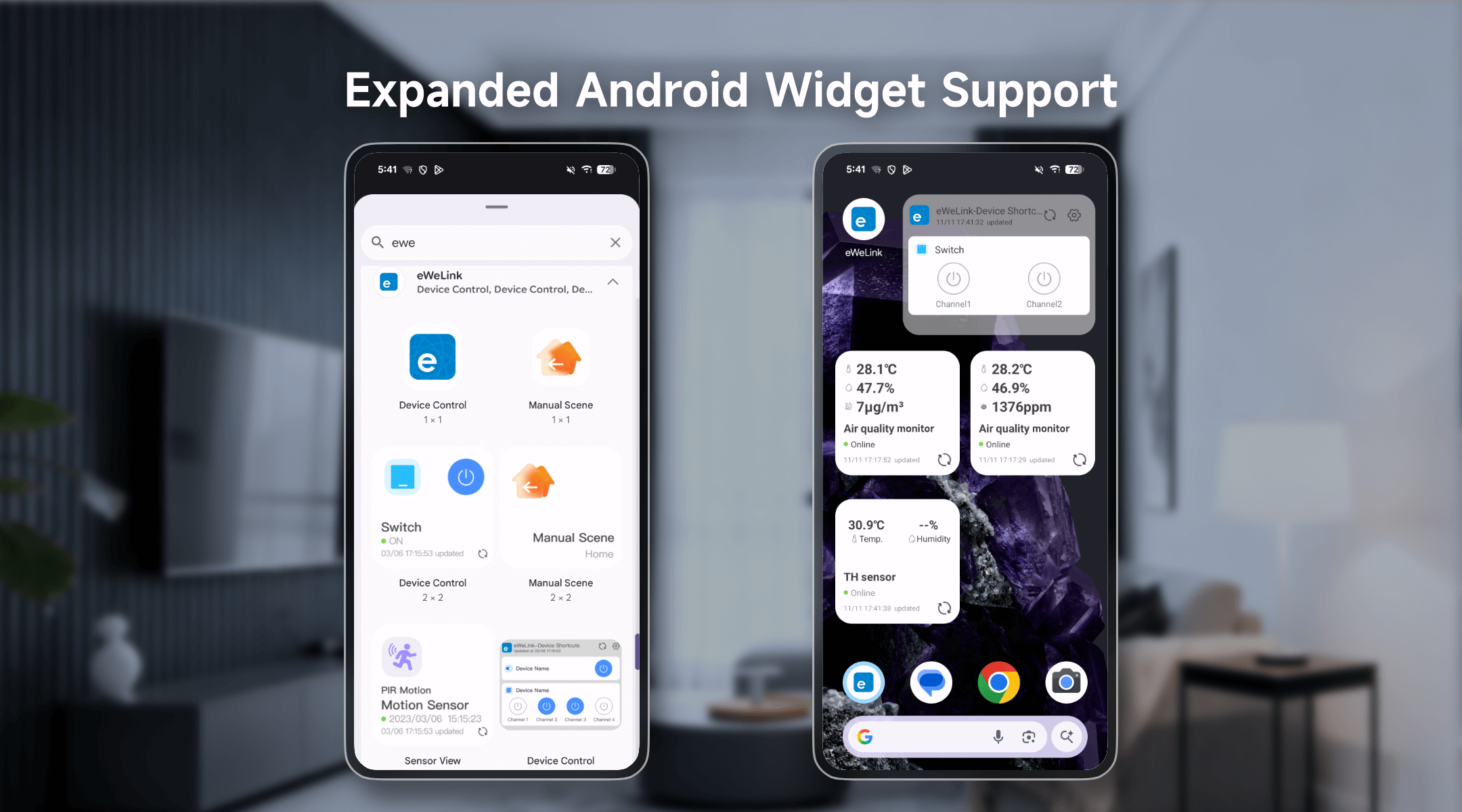
Need to close your smart water valve when you’re rushing out the door? Or quickly check your air quality before starting your day? With the new widget support, these tasks take just one tap. You can even control your roller shutter switch directly from the home screen—perfect for instantly opening the curtains and letting the morning light in.
Examples of Newly Supported Models:
Device Type | Eligible Device Models (Examples) |
WiFi Smart Circuit Breaker | CK-BL602-DLQ-01 |
Zigbee Smart Water Valve | SONOFF SWV-NH SONOFF SWV-BSP |
Smart Roller Shutter Switch | SONOFF SN-ESP32D0R2-RBS-01 |
Zigbee Smart Plug | SONOFF SN-TLSR8656-S60-01 |
Zigbee Smart Wall Switch_Single-Channel Switch _Support OTA (Supports both No Neutral and Neutral Wire) | SONOFF ZBM5-1C-120 |
Zigbee Smart Wall Switch_Dual-Channel Switch _Support OTA(Supports both No Neutral and Neutral Wire) | SONOFF ZBM5-2C-120 |
Zigbee Smart Wall Switch_Three-Channel Switch _Support OTA(Supports both No Neutral and Neutral Wire) | SONOFF ZBM5-3C-120 |
Air Quality Monitor | SONOFF SAWF-08P |
Zigbee Temperature and Humidity Sensor | SONOFF SNZB-02LD SONOFF SNZB-02WD |
The expanded widget support in the eWeLink App V5.21 brings meaningful upgrades to everyday life. By placing essential controls and sensor information directly on your home screen, you now enjoy smoother, faster, and more personalized smart-home interactions—all without even opening the app.
What important features are we missing? We’d love to hear from you! Join our discussion here.
Bridge smart home platforms and trigger entire scenes across ecosystems with a single virtual switch or button.
Experience real-time monitoring and instant device control from the same screen.
Automate your home climate with the eWeLink Thermo Plugin—smart, simple, and shareable.
With the eWeLink app V5.22, Prime members get higher limits for virtual devices, thermostat plugins, and device sharing.